
 Gaming GPUs & Graphics Cards
 Gaming PC Builds
 Processors & CPUs
 Gaming Keyboards
 Gaming PC Cases
 DDR5 RAM & Memory
 Power Supplies (PSUs)
1080p vs 1440p vs 4K gaming monitors: what resolution is right for you?

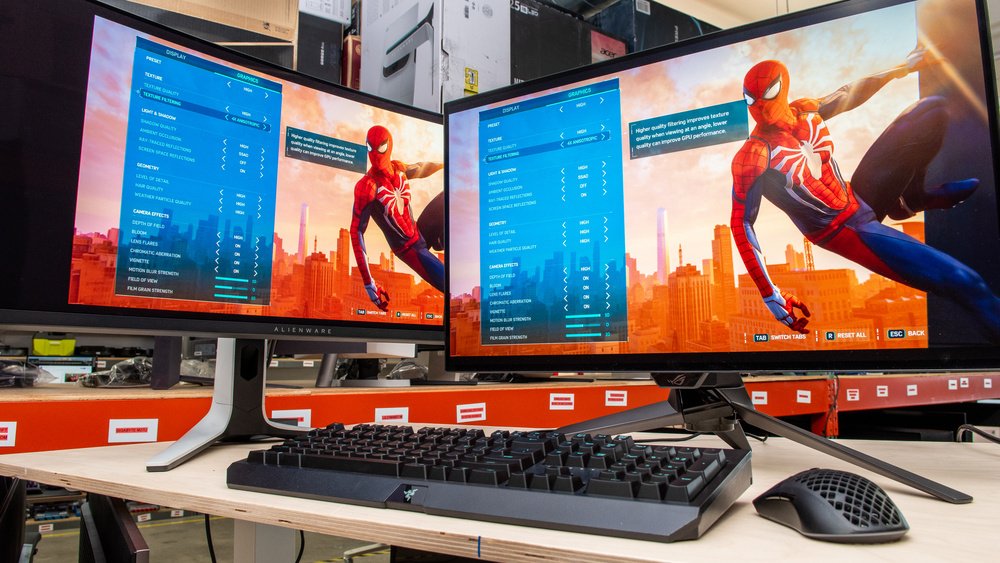
Choosing between a 1080p, 1440p vs 4K gaming monitor is one of the most impactful decisions you’ll make for your setup — and one of the most commonly mismatched. The wrong resolution choice either bottlenecks your GPU or wastes your budget on visual quality your hardware can’t consistently deliver. Here’s how to get it right.
The real visual difference between 1080p, 1440p, and 4K
1080p (1920×1080) looks sharp on screens up to 24 inches. Beyond that screen size, individual pixels become visible and the image begins to soften. 1440p (2560×1440) is the sweet spot for 27-inch monitors — sharp, detailed, and demanding enough to use modern GPU power without requiring the absolute top end. A 1440p vs 4K gaming monitor comparison shows the 4K option is stunning on 27–32 inch screens, but only when your GPU can push enough frames to make it worthwhile.
GPU requirements by resolution
At 1080p with high settings, mid-range GPUs like the RX 7600 or RTX 4060 hit 144Hz comfortably in most titles. At 1440p, you want at least an RX 7700 XT or RTX 4070 for a consistent high-refresh experience — and ideally an RX 9070 XT or RTX 5070 Ti for a future-proof setup. At 4K with high or ultra settings, you need an RTX 5080, RX 9080, or above to consistently push 60+ FPS in demanding titles.
Mismatching GPU and monitor resolution is one of the most common PC building mistakes. Spending $600 on a 4K monitor and pairing it with a $250 GPU leaves the monitor permanently running below its potential.
Refresh rate vs resolution: competitive vs cinematic gaming
For competitive gaming — shooters, battle royale, MOBAs — refresh rate matters more than resolution. A 1080p 240Hz monitor gives you a meaningful competitive edge over a 4K 60Hz monitor every time. The higher frame rate means less input lag, smoother motion tracking, and faster target acquisition. Many serious competitive players specifically choose 1080p because their GPUs can push 240+ FPS at that resolution, making every frame count.
For cinematic single-player games — RPGs, open world, adventure titles — resolution matters more than refresh rate. A 4K 60Hz experience in Cyberpunk 2077 or God of War Ragnarok is visually superior to 1080p 144Hz. The content type should drive your resolution decision.
Which resolution should you choose in 2026?
1080p — best for competitive gaming on a budget, or pairing with a GPU under $300. Still viable but increasingly the entry-level choice for serious gamers in 2026.
1440p — the best overall choice for most PC gamers in 2026. Excellent image quality, achievable high framerates with mid-to-high-end GPUs, and the sweet spot between resolution and performance. This is where the 1440p vs 4K gaming monitor comparison is won for most builds.
4K — best for cinematic single-player gaming with a high-end GPU (RTX 5080, RX 9080 or above). A stunning experience when properly matched — a frustrating one when not.
Browse gaming monitors at GadgesPlanet — filter by resolution, refresh rate, panel type (IPS, VA, OLED), and response time to find the right screen for your GPU and game library.
Ready to Build?
Get the Best Price on PC Hardware Today
Browse our curated selection of GPUs, CPUs, RAM, and full PC builds — researched and recommended by our hardware experts.
Shop PC Hardware → Ask an ExpertGadgesPlanet — Verified Stock · USA Shipping
Buy Best Gaming Monitor 2026 — 1440p & 4K
Expert-tested. Competitive prices. Free US shipping on orders over $99. All components sourced from authorised distributors.
Buy Best Gaming Monitor 2026 — 1440p & 4K → Compare Gaming Monitors by Resolution